01The layout
It sounds before you touch a key.
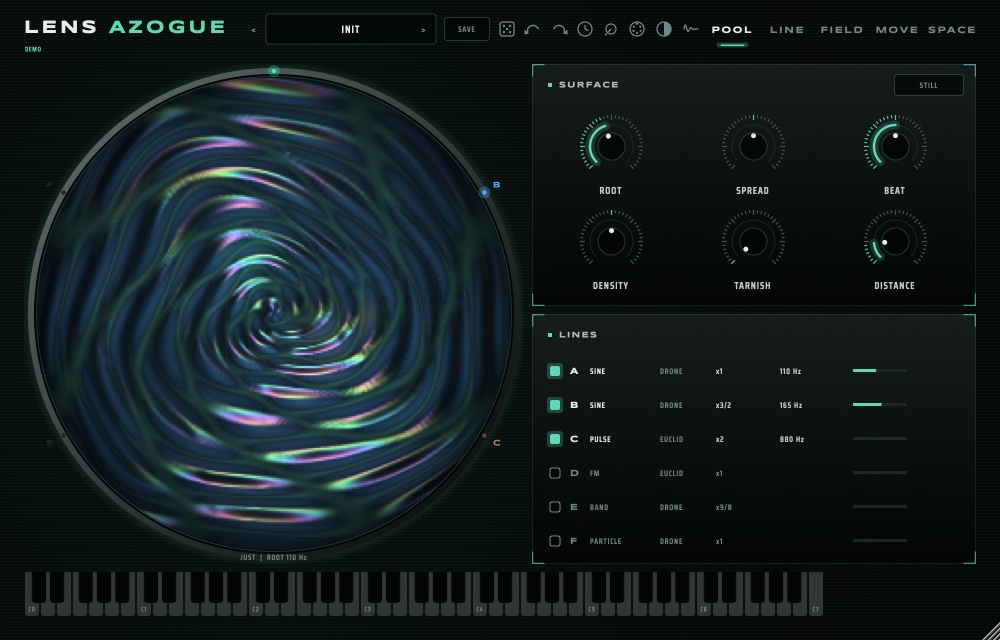
The top bar is the same on every page: the preset name with < >, SAVE, undo and redo, RANDOM, MIDI, the skin switch, HUSH, and the five pages POOL LINE FIELD MOVE SPACE.
02First sound
Load one. Listen. Don't play yet.
- Put LENS AZOGUE on an instrument track in your DAW (or open the LENS AZOGUE app and pick your MIDI keyboard in its settings).
- Click the preset name: the list opens by family (SINE, INTERFERENCE, BELLS, BOWL, CLICK, PARTICLE, NOISE, GLITCH, DIRT, FLOOR, HUM, METAL, FIELD, KEYS), your own under MY PRESETS. Or step with < >.
- Try Still Surface and just listen: it is already playing. Then Singing Bowl, and Struck Field with a few keys.
- Changed something you like? SAVE stores it under MY PRESETS. Loading a preset is one undo step, so nothing is lost.
03The POOL
The sound drawn as water you can play.
Each line is a colour in the pool, and every hit is a ripple. Click the pool to strike it; drag to stir it (what the stirring moves is set on MOVE). Click a line's row on the right to open it on the LINE page.
| Surface | What it does |
|---|---|
| ROOT | The frequency every line is a ratio of, in Hz. 110 Hz is the A below middle C. |
| SPREAD | Bends every ratio: down draws them together toward unison, up stretches them toward metal and bells. |
| BEAT | Every twin's beat at once: 0 = still, 4 = four times faster. |
| DENSITY | Sparse to swarm: more drops, grains, Euclid pulses and crackle, all together. |
| TARNISH | The grey on an old mirror: air, grain and a soft push. |
| DISTANCE | How far away you stand. Near is dry and exact; far is darker and full of the room. |
| STILL | Holds the room's tail forever while the lines change under it. Click again (or ESC) to let go. |
04One line
Six lines, each a tone of its own.
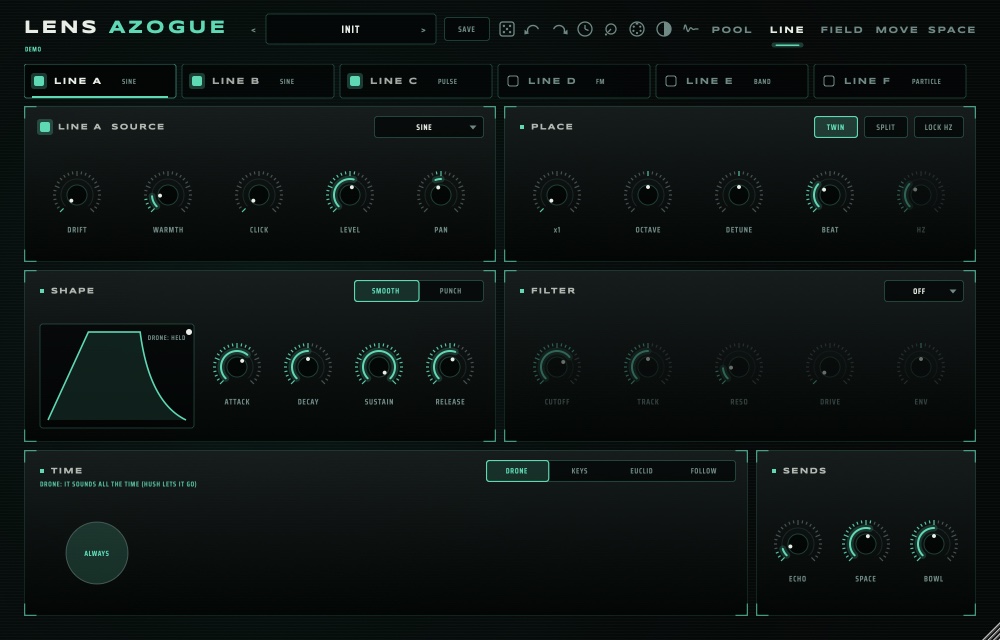
- Pick the line (A to F) and its SOURCE: SINE (pure), PULSE (drops: a rhythm that becomes a tone), FM (bells, metal), RING, BAND (noise narrowed to a tone), NOISE, PARTICLE (microsound).
- The three CHARACTER knobs change with the source: on PULSE they are RATE, DUTY and MASK; on FM, RATIO, INDEX and FEEDBACK. Hover them to read which.
- PLACE sets which ratio of the field the line sits on; OCTAVE and DETUNE move it from there. LOCK Hz pins it to a fixed frequency instead, a hum that never moves.
- TWIN adds a second tone BEAT Hz above, so the two swell against each other; SPLIT puts one in each ear.
- PLAY decides when it sounds: DRONE (always), KEYS (while you hold a key), EUCLID (in a ring of STEPS and PULSES, with CHANCE) or FOLLOW (after another line fires: cascades and echoes made of tones).
05The field
Tune by ratio, not by key.
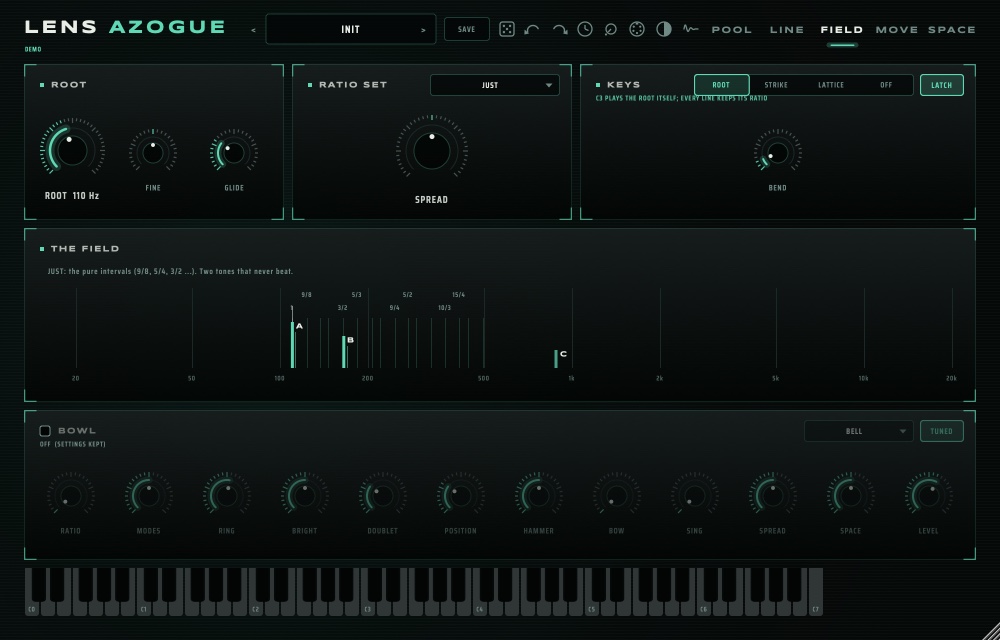
Every line takes its ratio from the RATIO SET. Change the set and they all retune at once.
| Set | Sound |
|---|---|
| HARMONIC | 1, 2, 3, 4…: the tones fuse into one, calm and organ-like. |
| UNDERTONE | The mirror of HARMONIC: dark, falling, ritual. |
| JUST | The pure intervals: two tones that never beat. |
| SEPTIMAL | Intervals built on 7: blue, uneasy, beautiful. |
| TRITAVE | The 3:1 scale in 13 steps, no octave anywhere. |
| BELL, BOWL, BAR, MEMBRANE | The partials of real struck and sung objects. |
| PRIME, GOLDEN | Sparse and glassy; endlessly inharmonic. |
06Keys
The keys move the field, not just notes.
KEYS on the FIELD page sets what a key does:
- ROOT: a key moves the root (C3 = the ROOT itself). GLIDE sets how long the field slides; LATCH keeps it where the last key put it.
- STRIKE: white keys from C strike lines A to F; black keys strike them all.
- LATTICE: the keys walk the ratio set.
- OFF: the keys do nothing; the field plays on its own.
07Movement
Nothing ringing stands still.
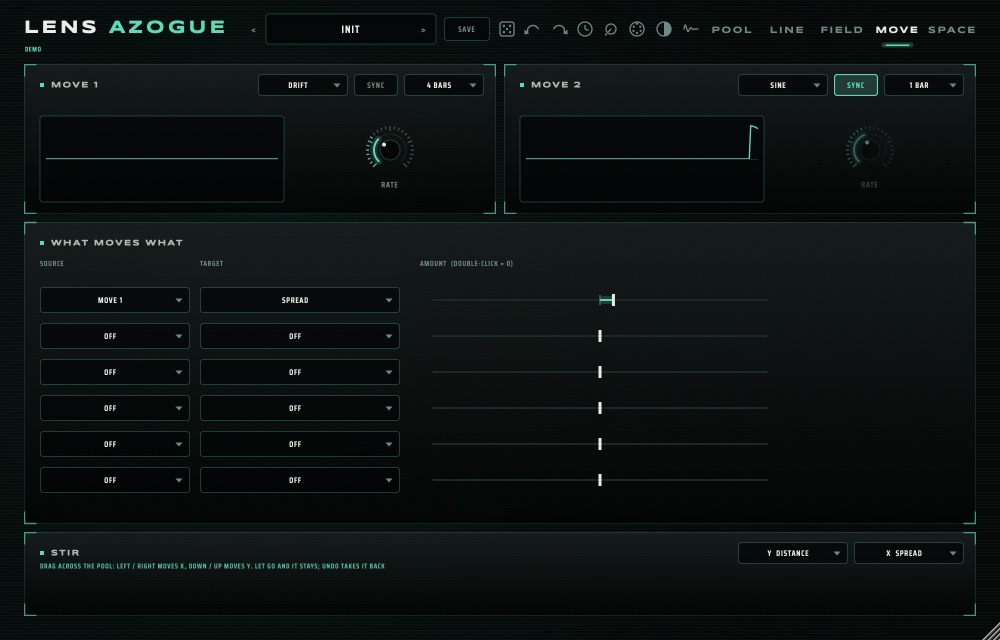
- MOVE 1 and MOVE 2: SINE, TRI, RAMP, SQUARE, RANDOM or DRIFT, down to one cycle in eight minutes, or in the song's tempo with SYNC.
- The matrix: a source (MOVE 1 / 2, VELOCITY, MOD WHEEL, PRESSURE, KEY), a target (the field, the surface, or a line's level, cutoff, first character knob or pitch), and how far.
- STIR X and STIR Y: what dragging across the pool moves, left to right and bottom to top.
08Space, BREAK, the bowl
The room is part of the tone.
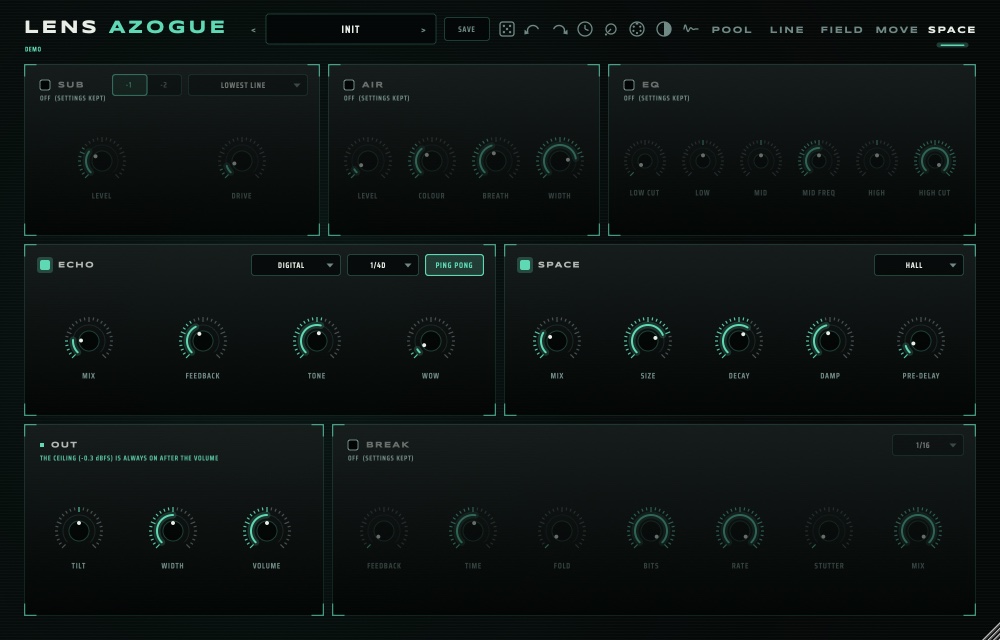
- SUB: a mono sine an octave or two under the lowest line. AIR: a bed of breathing noise around the tones, the room tone of the pool's room.
- ECHO (TAPE, DIGITAL, BUCKET, REVERSE) and SPACE (HALL, ROOM, PLATE, SPRING, SHIMMER, CLOUD), the same as in the rest of the suite.
- BREAK: feedback, fold, bit crush, sample rate and stutter, when clean tones are not enough.
- THE BOWL: a resonant body (bell, bowl, glass, bar, tube, plate, gong, membrane, field) that every line can strike, bow and sing into. Each line's BOWL send sets how hard.
- OUT: TILT, WIDTH and VOLUME. The ceiling after it is always on: AZOGUE never clips, however loud a sine or a feedback gets.
09HUSH
Play the silence.
The HUSH key in the top bar lets every DRONE breathe out through its release; struck lines play on. Press it again (or play a key) and they come back. Stopping your DAW hushes them too, and playing brings them back.
RANDOM rolls new sounds from the part you choose (FIELD, LINES, SHAPE, FILTER); ORIGINAL takes you back to the preset. To unlock the full version, use the SKIN menu, then ACTIVATE.