01First five minutes
Start with a sound, not a menu.
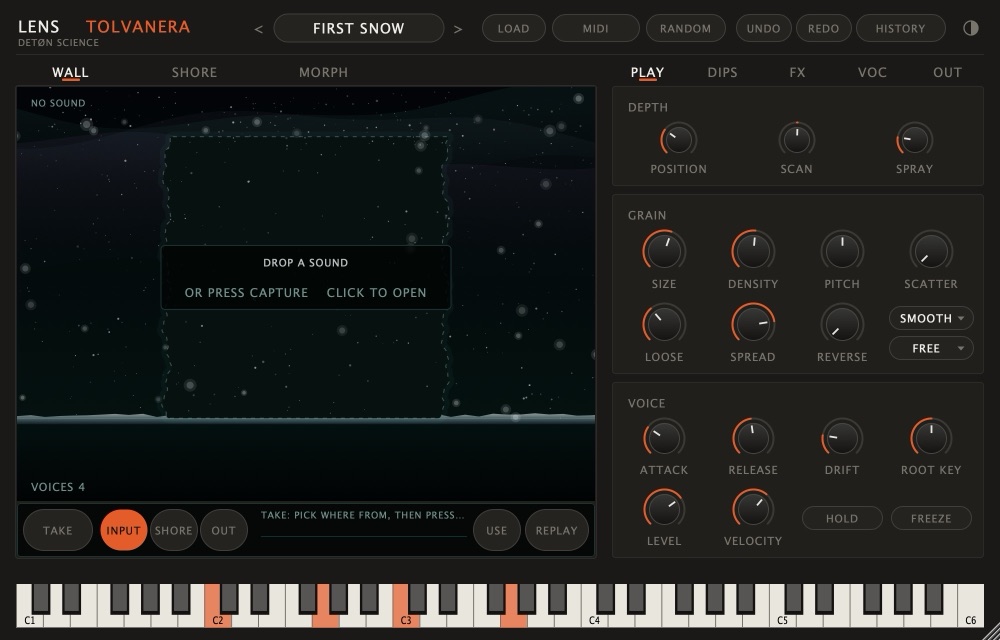
An empty wall offers three ways in. Pick one, then play the keys: a MIDI keyboard, or the computer keys (A S D F …, Z / X for the octave).
- TAKE YOUR VOICE: sing, speak or hum a few seconds. It starts when sound arrives; press TAKE again to end. The take goes straight into the wall.
- OPEN A SOUND: any file of your own, or drop one on the wall.
- BROWSE THE SHORE: the factory sounds laid out as stones. Click a few, Enter keeps one.
02How a note reads the sound
One switch, three readings.
PLAY › SAMPLE's header has READ:
| READ | What a key does |
|---|---|
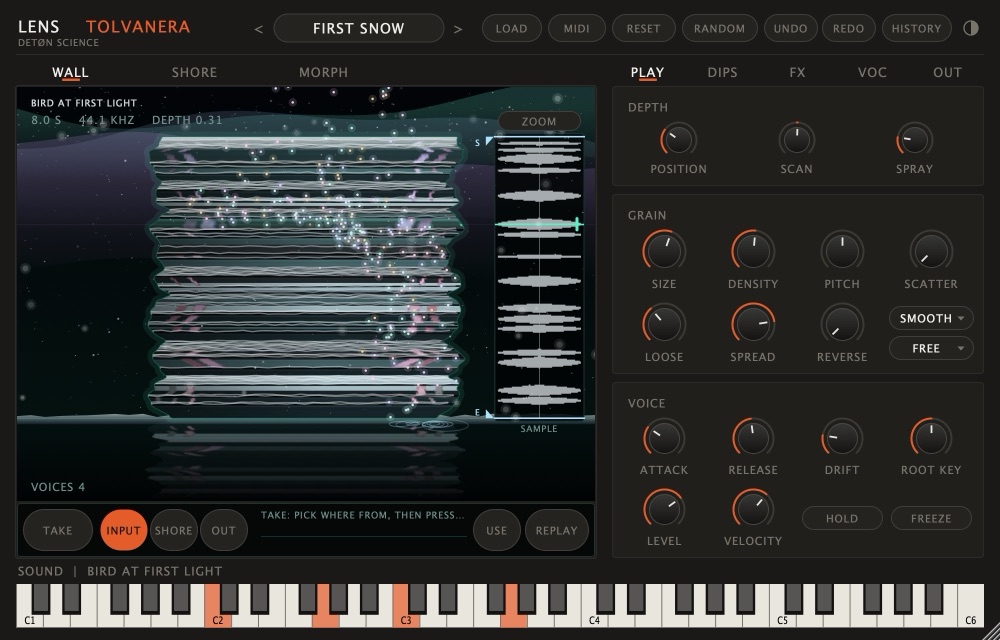
| LIGHT | Grains where the light falls in the wall: TOLVANERA's own way. DEPTH moves the light (POSITION, SCAN, SPRAY). |
| PASS | Each note makes its own pass through the sound, from START or its CHOP slice. |
| SAMPLE | The sample itself: LOOP, ONE SHOT, REVERSE, and WARP to keep a loop in time. |
What doesn't apply dims and says why. GRAIN (SIZE, DENSITY, PITCH, SCATTER, LOOSE, SPREAD) shapes the grains; VOICE has the envelope, DRIFT, ROOT KEY, HOLD and FREEZE.
03The shore
Your folders, sorted by ear.
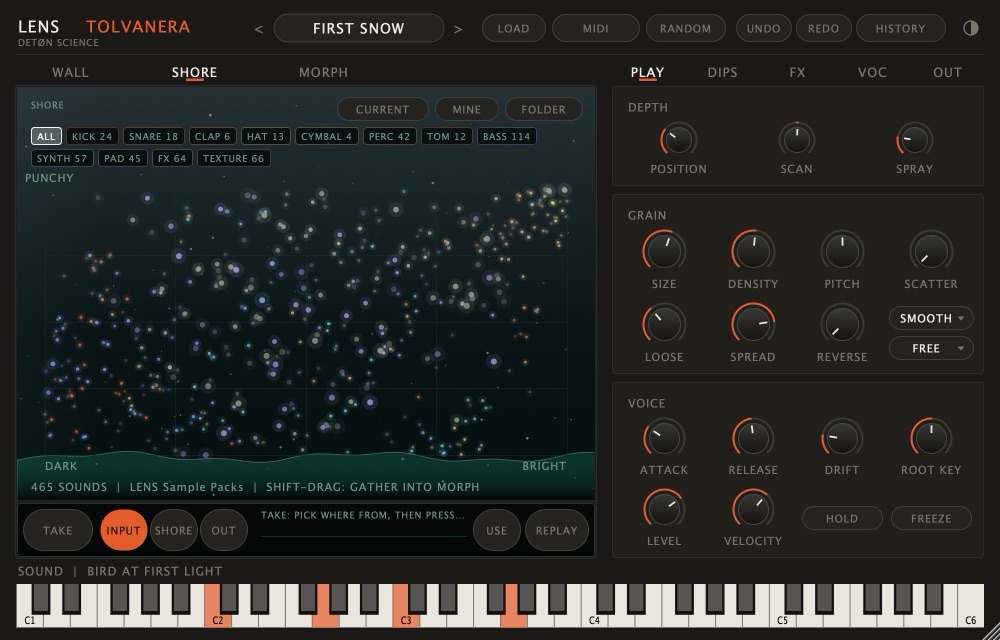
The SHORE lays a folder out as stones: dark to bright across, soft to punchy up. The first time it opens on the factory sounds; FOLDER points it at your own. Click a stone to hear it, keep it to lay it into the wall. Drag your hand across the shore and HUELLA turns the path into a new sound.
04TAKE
Record anything, in time.
The take bar under the wall records from INPUT (the mic, or the track feeding TOLVANERA in your DAW), the SHORE as you play it, or OUT (TOLVANERA itself). With SYNC BARS a take lands on the bar lines, exactly the bars you asked for. USE lays it into the wall; drag the take onto the wall to play it, or out of the window onto a DAW track.
05AMALGAMA
Two sounds, one body.
Up to eight sounds joined into one: move the point between them, let MODE choose how they mix, ALIGN line up their hits, OVER TIME let one become the other. LISTEN first, then USE to play it. Drag the result out as audio.
06VOC
The wall speaks.
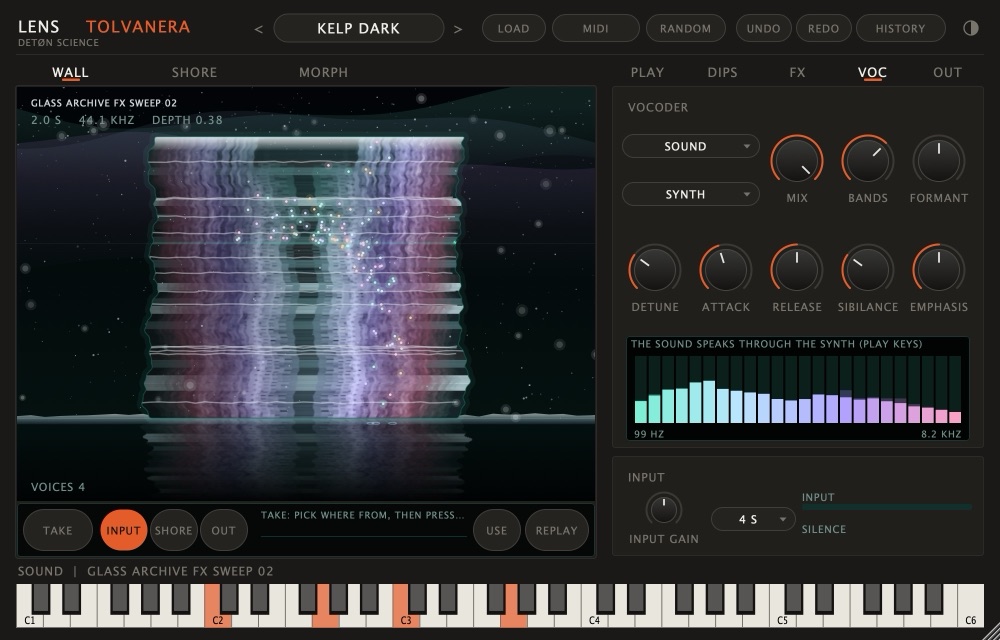
A vocoder: your voice through the mic shapes the sound in the wall (or the sound speaks through the synth). PRINT records what it says into its own folder, ready for the next take.
07The player
Hold one key. Let it walk.
CHORDS that voice themselves, EUCLID rings and REMOLINO sparks keep a held key moving, in time with your DAW. Start with CHORDS alone, then add one more. DIPS, a bank of switches with a RAMP, move controls for you; FX holds two effect slots, ECHO and SPACE; OUT sets the level.
08Nothing is lost
Every gesture has a way back.
UNDO / REDO and HISTORY in the header remember everything, preset loads included. RANDOM rolls what you tick and leaves what you protect. RESET asks which parts. INIT is a clean start, and it undoes too.
09Demo and licence
Everything plays.
Without a key TOLVANERA is the demo: every sound and page works, with no time limit. Saving presets and dragging sound out of the window ask for a key, and DEMO shows under the name. Your DAW still saves its session with TOLVANERA in it.
To activate: click the preset name › ACTIVATE LENS TOLVANERA…, paste the key from your order email (it starts with TOLV1-). It is checked on your computer: no account, no internet. Moving to a new computer: the same menu › DEACTIVATE ON THIS COMPUTER, then activate there. Buy once, yours for good. Every 1.x update is free. A new major version (2.0) is a discounted upgrade for owners, never a subscription.