01The layout
Five doors into one voice.
The top bar is the same on every page: the preset name with < >, SAVE, the skin switch (the half circle) and the five pages PAD SYNTH MOD FX ORBIT.
02First sound
Hold a chord. Wait.
- Put LENS POLY on an instrument track in your DAW (or open the LENS POLY app and pick your MIDI keyboard in its settings).
- Click the preset name: the list opens by category (PAD, BASS, LEAD, KEYS, PLUCK, ORBIT, FX), your own under USER. Or step with < >.
- Try Glass Bloom and hold a chord. Then Motorik FM Bass and play low.
- Changed something you like? SAVE stores it under USER.
03The PAD page
Shape the weather, not the parts.
Six macros that move many controls at once, an XY pad, and four performance keys. A good place to shape any preset without opening the synth.
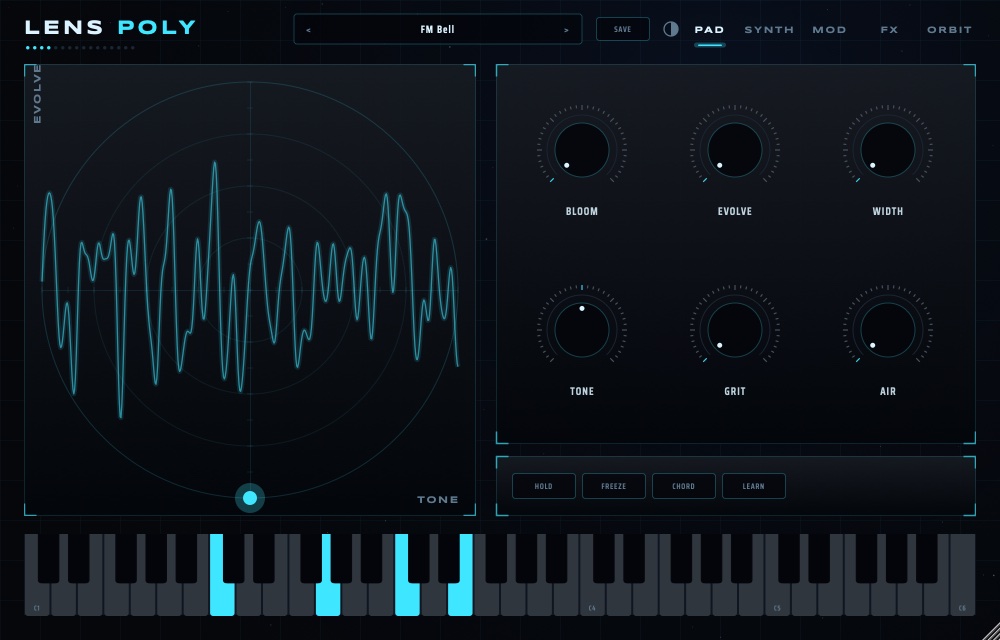
| Control | What it does |
|---|---|
| BLOOM | Slower attack, longer release and more SPACE: the sound opens up. |
| EVOLVE | Slow, unrelated drifts so a held chord never sits still. |
| WIDTH | Spreads voices and unison across the stereo field (mono-safe). |
| TONE | Moves every filter down or up, three octaves each way: darker to brighter. |
| GRIT | Filter drive, CUT and tape saturation together. |
| AIR | More ECHO and a bigger, longer SPACE. |
| HOLD | Latch: notes ring until the next chord. Hands free. |
| FREEZE | Holds the reverb tail; new notes play into the frozen space. |
| CHORD + LEARN | Hold two or more keys, press LEARN; with CHORD on, every key plays that chord, transposed. |
04Build a sound
Two layers, one breath.
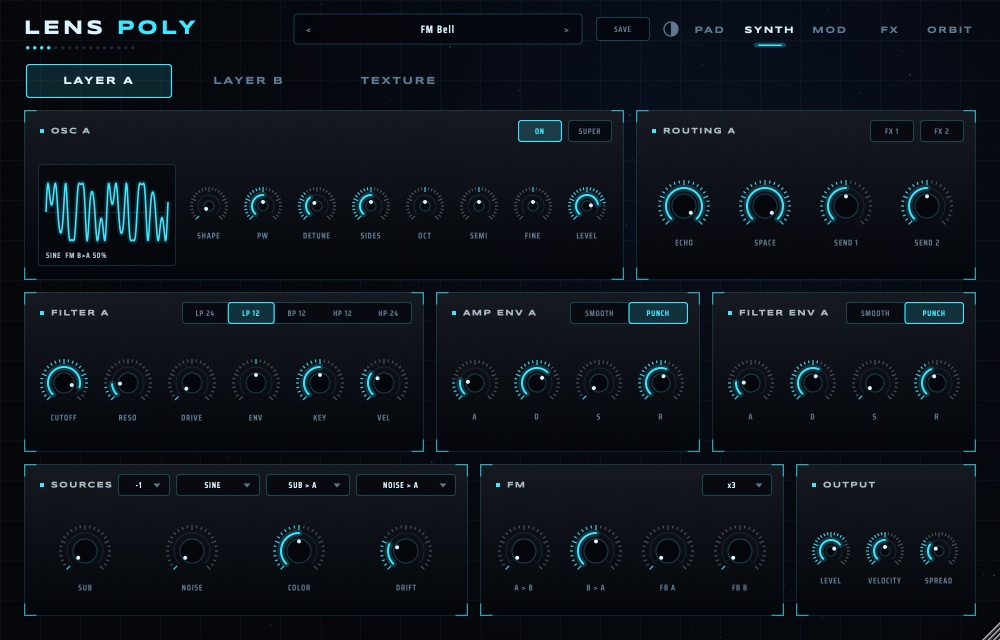
SYNTH has three tabs: LAYER A, LAYER B and TEXTURE. Each layer has its own oscillator, filter, two envelopes and FX routing, so A can be a soft pad while B is a bright pluck.
- Pick INIT. On LAYER A, turn SHAPE to choose the wave; SUPER stacks detuned copies.
- FILTER A: choose LP 24 for warm, LP 12 for open, BP or HP to thin. Lower CUTOFF, raise ENV and shorten FILTER ENV D for a pluck.
- AMP ENV: PUNCH gives a fast front edge for plucks and leads, SMOOTH a softer one for pads.
- Switch on LAYER B and set it an octave up (OCT), or give it a different filter.
- SOURCES adds SUB, NOISE (with COLOR) and analog DRIFT. FM sends A into B, B into A, with feedback on each: bells, electric pianos, growls.
- ROUTING sets how much of each layer goes to ECHO, SPACE and the two sends.
05Texture
Any sound can become a cloud.
Load any sample and POLY plays it as a cloud of grains, in tune with the keys.
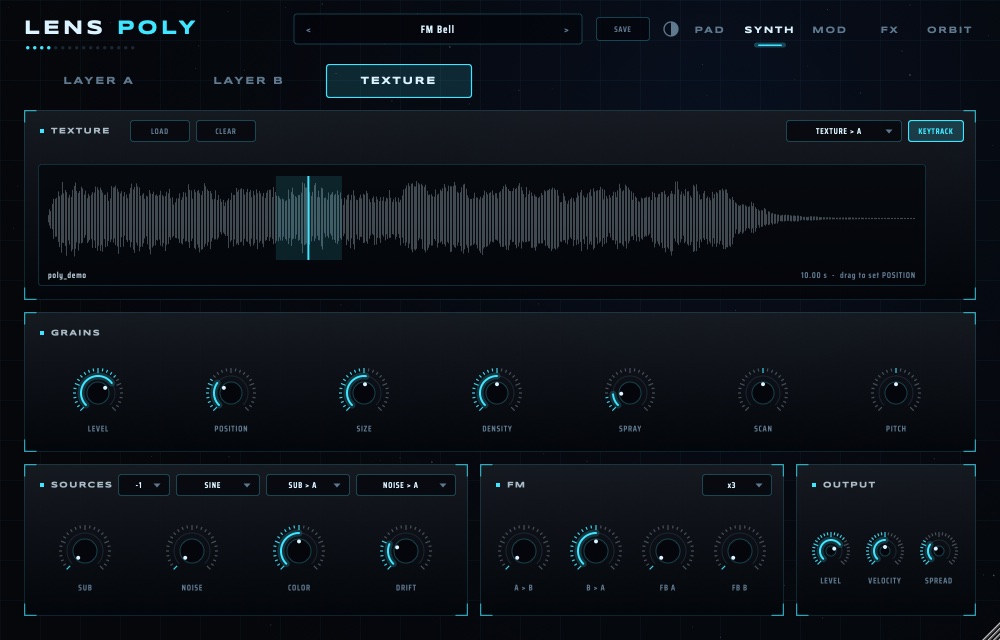
- LOAD a sample (a vocal, a field recording, a chord). The menu on the right sends it into layer A or B.
- Drag on the waveform to set POSITION. SIZE and DENSITY set the grains; SPRAY scatters them; SCAN moves through the sample by itself.
- KEYTRACK on: the grains follow the notes you play. Off: a drone under everything.
06Movement
Nothing alive stands still.
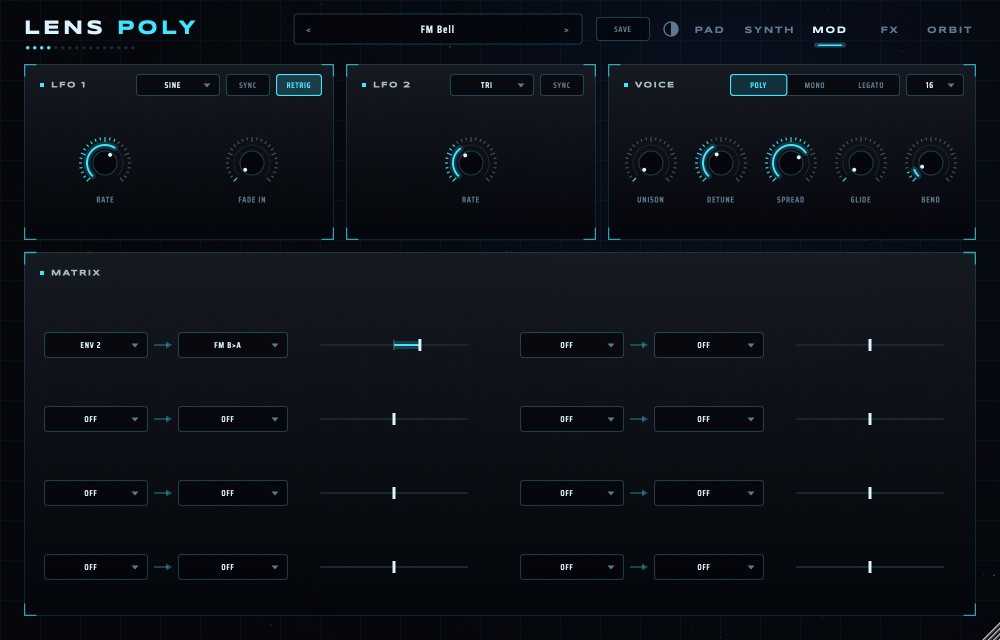
- LFO 1 runs per voice (RETRIG restarts it on every note, FADE IN eases it in). LFO 2 is one for all voices: use it for a synced wobble (SYNC).
- MATRIX: pick a source, a destination and drag the amount left or right. ENV 2 → FM B>A is how the FM bells get their strike.
- VOICE: POLY, MONO or LEGATO, 8 / 16 / 32 voices, UNISON with DETUNE and SPREAD, GLIDE and pitch BEND range.
07Effects
The room is an instrument.
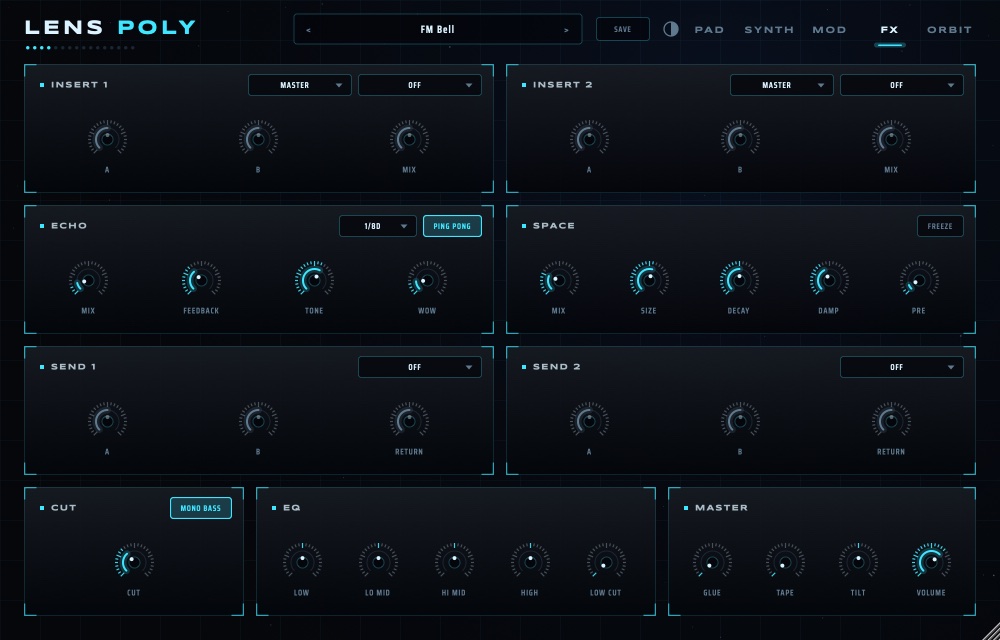
INSERT 1 and 2 take any LENS effect (drive, fold, lo-fi, chorus, phaser, flanger, ring, stutter, resonator, filters…). ECHO syncs to your DAW with PING PONG; SPACE has FREEZE. SEND 1 and 2 are extra effect returns fed from each layer's ROUTING. MASTER adds GLUE, TAPE, TILT and the VOLUME, with a safety ceiling under it: push the ECHO and SPACE as far as you like.
08ORBIT
What returns is what matters.
Planets circle on four rings. Every time one crosses a beam it plays a note. Inner rings are fast and high, outer rings slow and low.
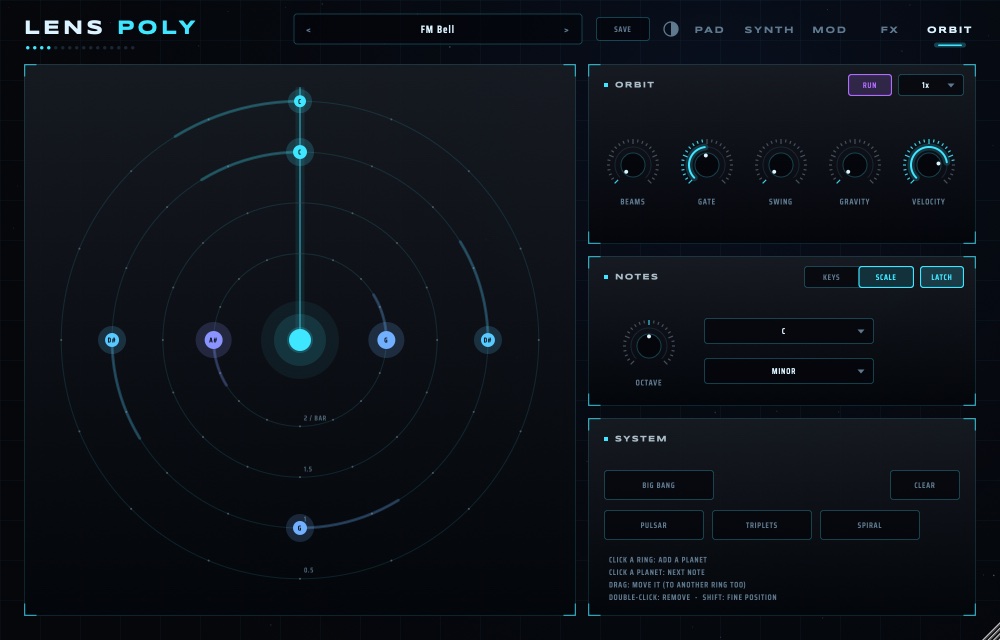
- Pick an ORBIT preset (e.g. Orbit Glass) or press PULSAR, TRIPLETS or SPIRAL for a starting pattern.
- Press RUN and start your DAW: ORBIT locks to its tempo. The menu beside RUN sets the speed.
- NOTES: SCALE plays the planets in a key and scale. KEYS uses the chord you hold instead; with LATCH it keeps the chord after you let go.
- Shape it: BEAMS (more crossings), GATE (note length), SWING, GRAVITY (looser timing and velocity), VELOCITY.
- Edit the sky: click a ring to add a planet, click a planet for its next note, drag it (even to another ring), double-click to remove. BIG BANG scatters a new system; CLEAR empties it.